Can my customers track their delivery with a live ETA and see proof of delivery?
Updated
Short answer
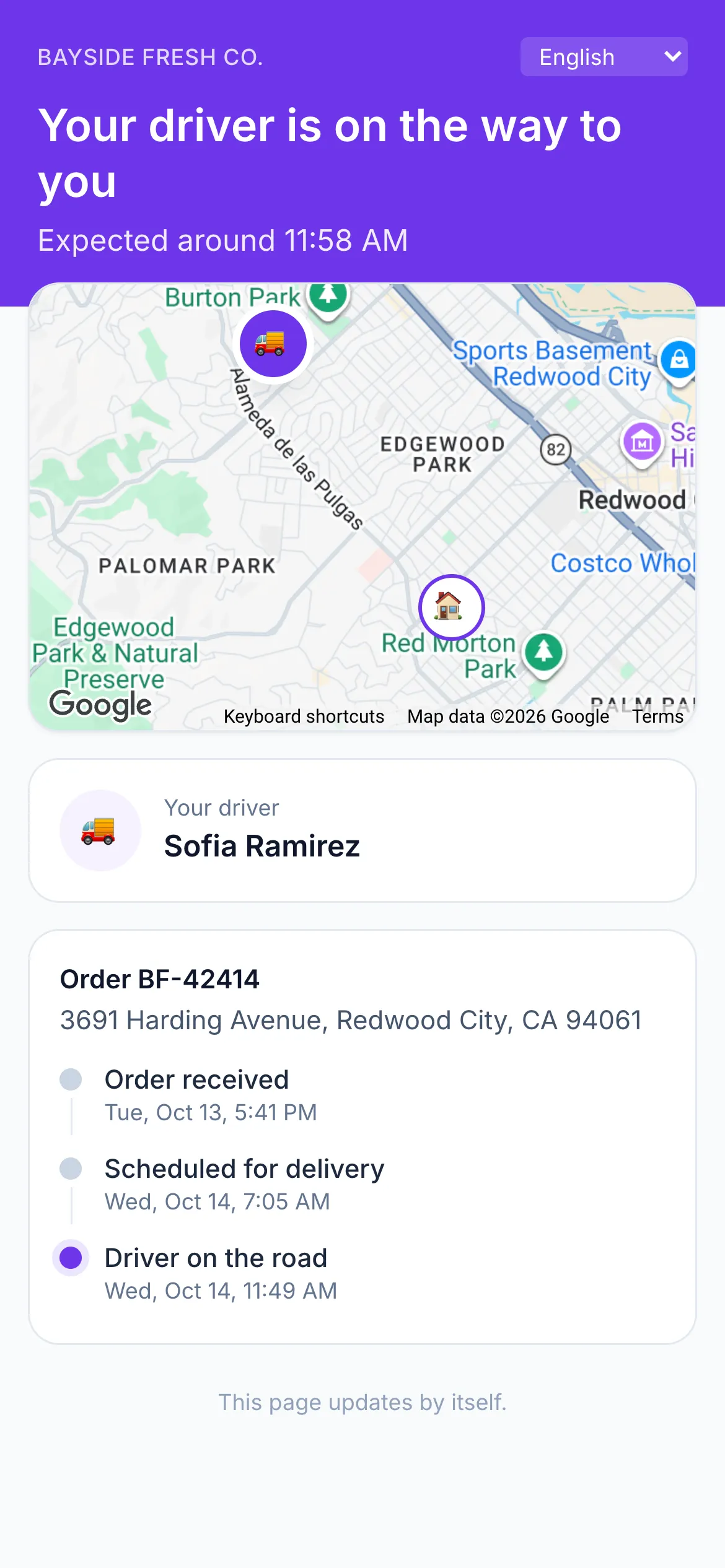
Yes. Every Afi Planner order gets its own tracking page, sent by email, SMS through your own Twilio account or WhatsApp, with a live ETA from the driver’s GPS and the driver’s position only while they are heading to that customer. Once it is delivered the page shows the delivery photos and who received it. Customers can leave instructions, rate the delivery or pick another day after a failed attempt.
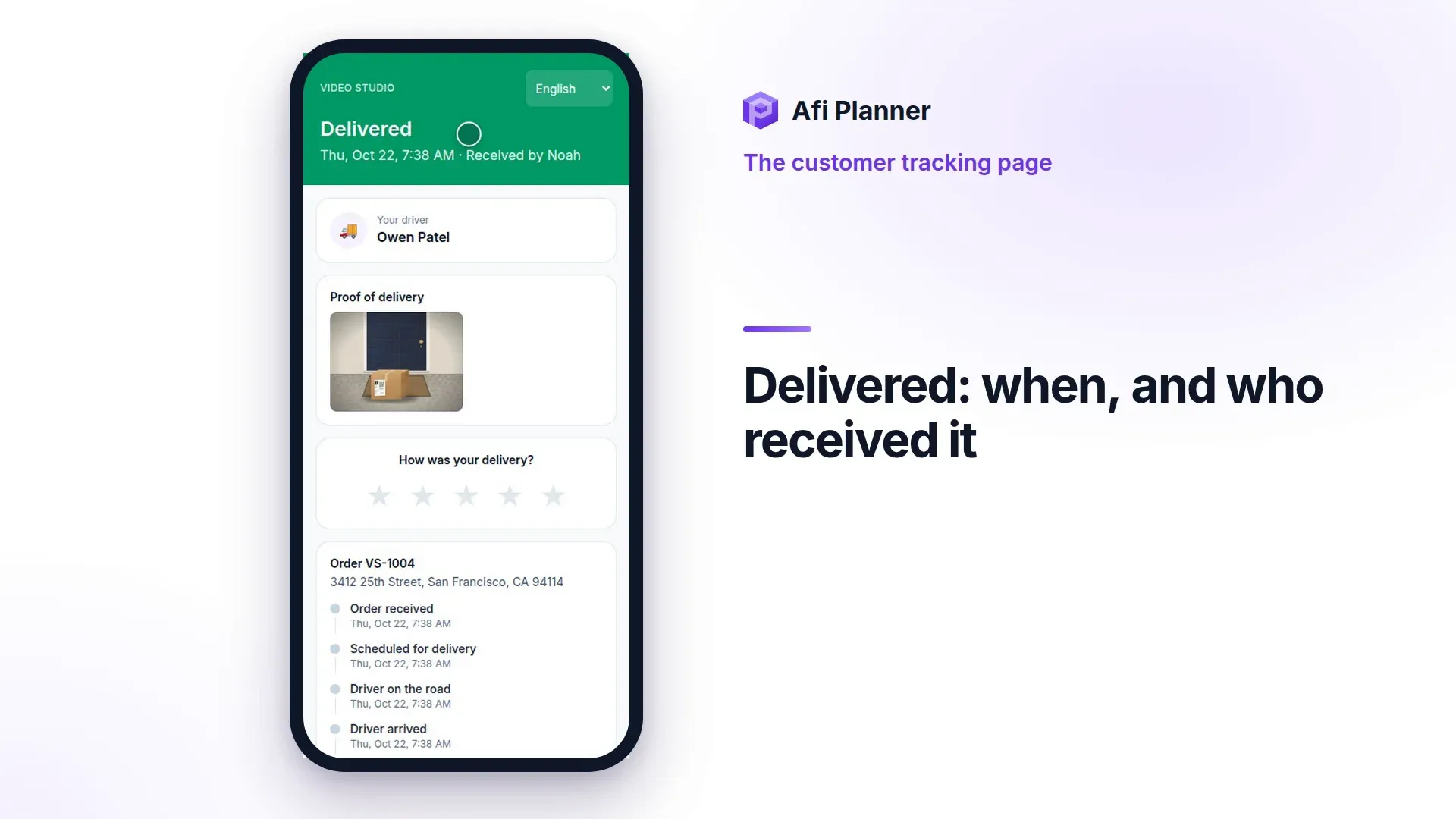
What this video shows
What a customer sees: the driver on the way, the arrival time, every step, who received it and a rating.
- What does your customer see?
- Customers see their driver on the way.
- Arrival time, and the van on the map.
- Every step of the order, as it happens.
- Then: delivered, and who received it.
- And a quick rating, in one tap.
How it works in Afi Planner
A live ETA customers can trust
Customers get a time window when the route is sent and a new message only if the live ETA moves by more than you allow. When a driver starts early, ETAs move earlier from then on, but never before the customer’s window opens. The driver’s name and position show only while they are heading to that customer.
Proof and a rating after delivery
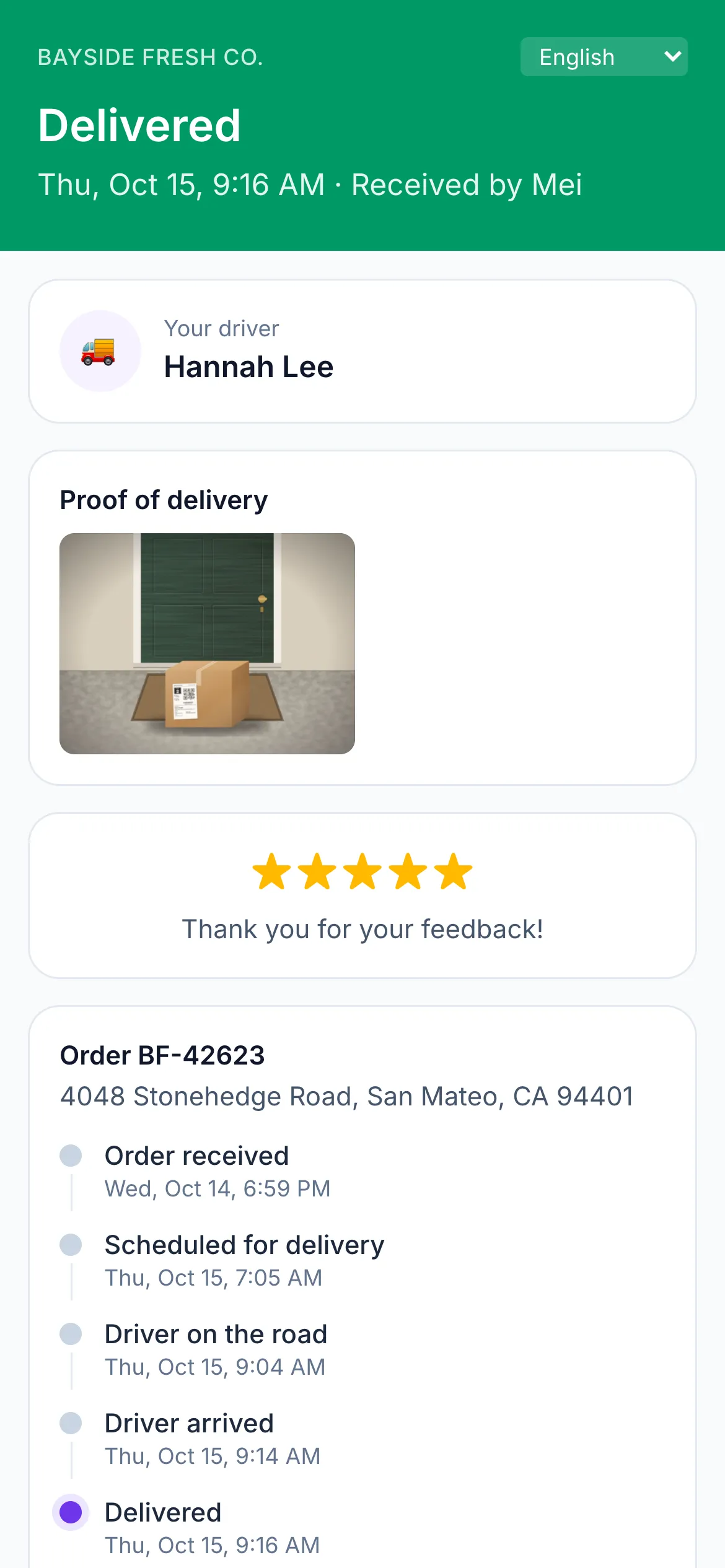
Once delivered, the page shows the status timeline from order received to delivered, the delivery photos and a one-tap rating. Ratings and comments flow into Analytics next to each driver’s results.
- Delivery instructions and “leave at the door”, which customers can change until the driver is on the way
- In English, Spanish, Vietnamese or Swedish, and customers can switch
- Your support phone, email and hours in a Contact card; your dispatch number never appears
When a delivery fails
The page and the “not delivered” message say what happened and what the customer can do under “Get it delivered”: pick another day, add a gate code, or tell the driver how to find them. The day they pick waits for a dispatcher to approve it, and the next attempt keeps the same tracking link.
Try it in the live demo
A fictional delivery company in the middle of its day. Read-only, no sign-up.
Open the live demo →Feature
Customer tracking
Keep customers informed with a live tracking page, SMS through your own Twilio account, email and WhatsApp: live ETAs, rescheduling and ratings, branded as you.
6 steps · 5 min read
Customer notifications and the tracking page
Frequently asked questions
Do I need a Twilio account for SMS?
Yes, SMS goes through your own Twilio account. Email works with no setup.
Is the driver’s phone number shown?
Only if you turn it on. By default customers see the driver’s name and where they are, not their personal number.
How often does the ETA update?
Whenever the driver’s phone reports a new position or finishes a stop, at most every few minutes per driver.
More answers
Give your customers a live tracking page
Live ETAs, delivery photos and messages from your own accounts on a 3-month free trial, no credit card.
Questions about your setup? Talk to sales